The Employee's Guide to Secure Business Communication in 2026 - 6 Ways to Protect Company Data
You're at work, sending a message to your colleague about a new client deal. You use the company's messaging app. It feels normal. Safe.
Except it's not.
That message is sitting on a server where anyone with access could read it. Your colleague's reply is stored in a database that could be breached. And when you share sensitive documents, they're transmitted without real encryption.
Welcome to 2026, where businesses lose $2.9 billion annually to email compromise
The Reality of Communication Threats
Here's the reality: communication-targeted attacks grew 38% in 2025. Messaging-based phishing (smishing) exploded by 312%. And educational institutions are being targeted at record rates.
Your company is probably not immune.
Most businesses use messaging apps designed for consumers, not for security. They make privacy claims, but they don't actually protect your data. When a breach happens (and 375 million people were impacted by data breaches in 2025 ), your company's sensitive information is exposed.
Let me show you 6 ways to protect company data through secure business communication and how choosing the right messaging platform can prevent disasters.
Way #1: Replace Consumer Messaging Apps with Business Security Tools
Your team uses WhatsApp, Slack, or email for work communication. They're convenient. They're familiar. They're dangerous.
Consumer messaging apps are designed for convenience, not security. They store messages on servers, index conversations for search, and often require access to your contacts and device data.
The problem: When these apps get breached, your company's entire communication history is exposed. Zero-knowledge encrypted messaging platforms showed zero successful message interception incidents across all reported breaches. Consumer apps don't use zero-knowledge encryption.
The solution: Use platforms built for security from the ground up. xPal provides enterprise-grade security with federally validated cryptography.
xPal uses cryptographic algorithms validated under the NIST CAVP Cryptographic Algorithm Validation Program, the federal standard for cryptographic correctness. This isn't consumer-grade security. It's enterprise-grade protection.
When your team switches to end-to-end encryption chat, you're choosing the only proven method to protect business communications.
Way #2: Use Anonymous IDs Instead of Phone Numbers
Your employees register for messaging apps with their phone numbers. HR creates accounts using company email addresses. Managers track employees through contact information.
This creates massive vulnerabilities:
- Phone numbers link identities to every conversation
- Email addresses become targets for phishing attacks
- Central databases become single points of failure
- Contact information spreads across networks
The breach risk: Data breaches in 2025 impacted at least 375 million individuals, and employee contact information is often the first thing stolen.
The security solution: Use anonymous messaging platforms where employees communicate through unique IDs instead of phone numbers.
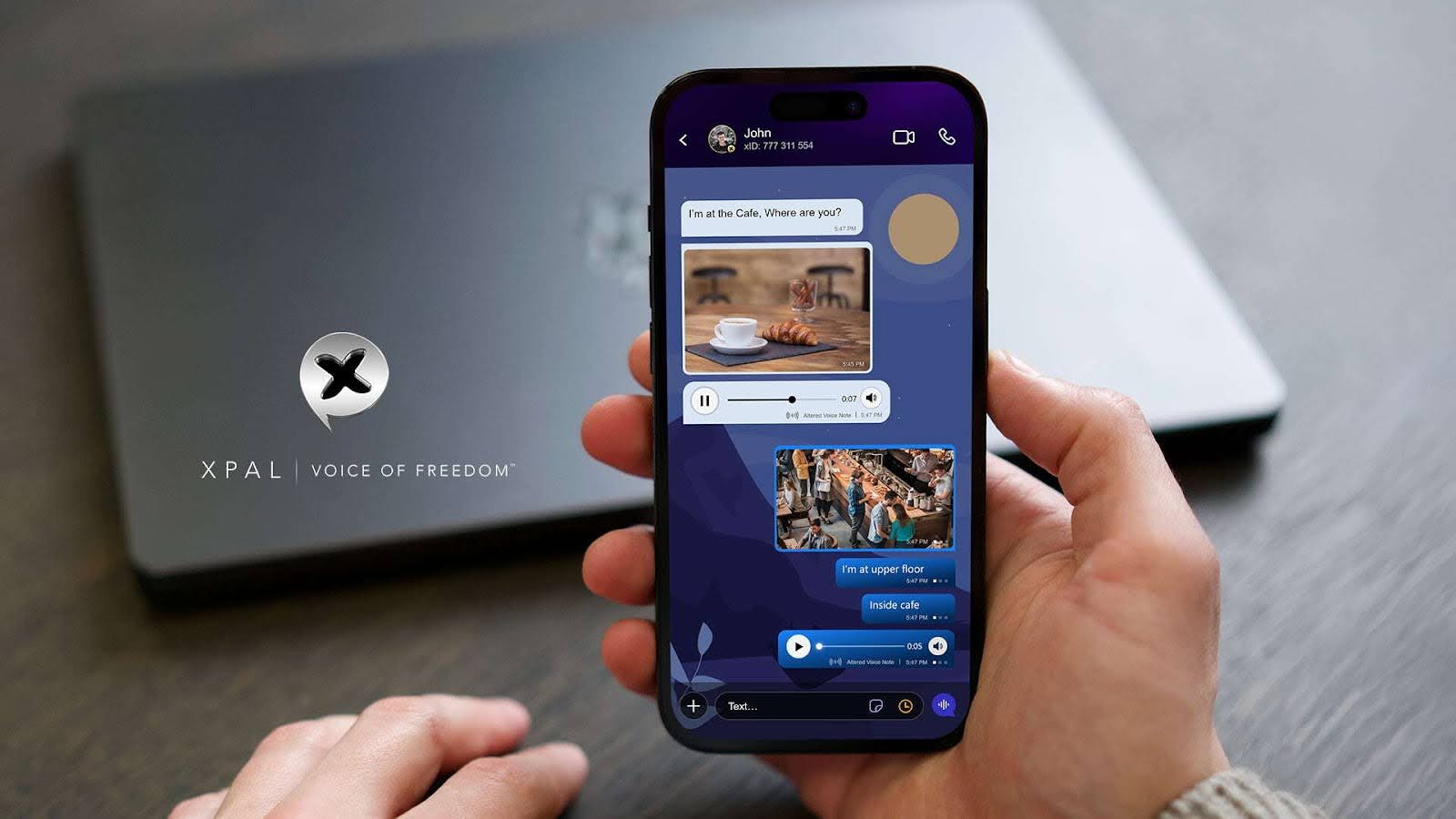
With xPal, each employee gets a 9-digit xID® instead of a phone number. No SIM card required. No personal email needed. No identity details stored on company servers. Employees communicate globally without exposing personal contact information.
This separates personal identity from business communication, protecting both your employees and your company.
Way #3: Implement Secure Group Communication for Teams
Your team has 15 people in a project group chat. Someone shares confidential client information. Two months later, a former employee who left the team still has access to all messages.
This happens because most apps don't update encryption keys when group membership changes.
Why this matters: Secure group chat requires encryption keys to update when someone joins or leaves. Without this, every person who's ever been in your group can access every message forever.
The business impact: When confidential information leaks, companies face lawsuits, regulatory penalties, and lost client trust. The healthcare industry has the highest average breach cost, and all industries face similar risks.
xPal's Group Messaging feature provides ultra-secure and private group communication with end-to-end encryption that protects every member. When someone leaves your team chat, the encryption keys change immediately. When someone joins, they can't access past conversations.
This is what secure group chat means for business.
Way #4: Strip Metadata from All Shared Documents
You send a contract to your colleague. The document looks normal. But hidden inside are:
- Your company's exact location
- Device information and serial numbers
- Creation timestamps
- Software versions and settings
- User account information
When these documents are shared through insecure channels, metadata becomes a data leak.
The risk: Scammers use metadata to build profiles of your company, your operations, your personnel, and your infrastructure.
The protection: Use platforms that automatically strip all metadata from shared files. xPal's Photo & Video Distiller™ removes ALL metadata from shared media before encryption.
Your documents look identical, but they don't carry hidden information about your location, devices, or systems.
Way #5: Never Allow Apps to Access Employee Contact Lists
Most messaging apps require access to your entire contact list. They upload this data to servers, match phone numbers, and build databases of employee relationships.
When that database gets breached, attackers get:
- Your entire employee network
- All phone numbers and contact details
- Names, departments, and relationships
- Communication patterns and hierarchies
They then use this information for targeted corporate espionage and insider threats.
The security standard: Enterprise messaging should NOT require contact access. Your employee contacts should stay on individual devices.
xPal does NOT access contacts or any data on your device. We don't collect employee names, phone numbers, emails, locations, or contact lists.
Each employee's contact information stays private, on their device, where only they can access it.
Way #6: Enable Total Control Over Business Communication History
An employee sends inappropriate messages. You delete them from the app. But the messages still exist on the company server, in backup systems, and on the recipient's device.
Traditional deletion doesn't erase data. It just hides it.
Total control means:
- Deletion from supported, connected xPal clients
- No server traces
- No backup copies
- No recovery possible
xPal has Total Wipeout™: enter your PIN in reverse, and all communication history—messages, calls, shared files—is removed from both devices once the command is received and processed.
There's also Terminate™ Mode for erasing entire conversations and Flicker™ Mode for automatic deletion.
This is critical for handling sensitive business situations, compliance requirements, and data protection regulations.
The Business Cost of Unsecure Communication
Let's talk numbers:
- $2.9 billion lost annually to email compromise
- 38% growth in communication-targeted attacks
- 312% increase in messaging-based phishing
- 375 million people impacted by data breaches in 2025
- $4.44 million global average breach cost
- 53% affected by unauthorized access
- 64% cite breaches as top concern
- 1,100% increase in deepfake voice attacks
When your company's communication isn't secure, you're not just risking data. You're risking your entire business.
Why xPal Is Built for Enterprise Security
xPal isn't designed for consumers. It's built for businesses that need real security:
- NIST CAVP Cryptographic Validation (federal standard)
- DEKRA Independent CyberSecurity Audit & Certification
- Google CASA/MASA Certification (App Defence Alliance)
- OWASP Secure Coding Practices alignment
We don't access employee contacts. We don't collect company data. We don't require phone numbers, emails, or identity information.
Your team gets end-to-end encryption chat that actually works, anonymous messaging that protects employee identity, and secure group chat that protects every team member.
Secure Communication Is Non-Negotiable in 2026
Your company's data is your most valuable asset. When you protect it properly, you protect your business, your employees, and your clients.
The 6 ways we covered today are the foundation of secure business communication. When you implement them, you're preventing disasters before they happen.
xPal gives your team ultra-secure messaging with verified cryptography and total control. No phone numbers needed. Reduced identity exposure. Minimized metadata. No centralized ad tracking.
Your company data matters. Your business communications should stay private. And in 2026, you have options that actually work.
Download xPal for your business today and start protecting your company communications with enterprise-grade security.
Ready to secure your business communication in 2026? Get xPal for your team now and protect your company data with verified enterprise security.
Visit xPal to learn more about ultra-secure business messaging.