What Is a Decoy PIN? How xPal Hides Private Chats Without Deleting Them?
A Decoy PIN is a category of secure authentication control: a secondary passcode that unlocks a messaging app into a hidden, blank state; a separate, empty account instead of your real conversations. Anyone watching sees a working app with no chats, no contacts, and no history. Your real data stays locked behind your regular PIN and comes back the second you enter it.
So, two codes with two useful outcomes: your regular PIN opens xPal with every conversation complete. The Decoy PIN opens something that looks like an app you downloaded last week and forgot about. (No personal data is visible there)
The heart of the matter is that it is designed to provide a strong layer of privacy in situations where a user may be asked or pressured to unlock their device.
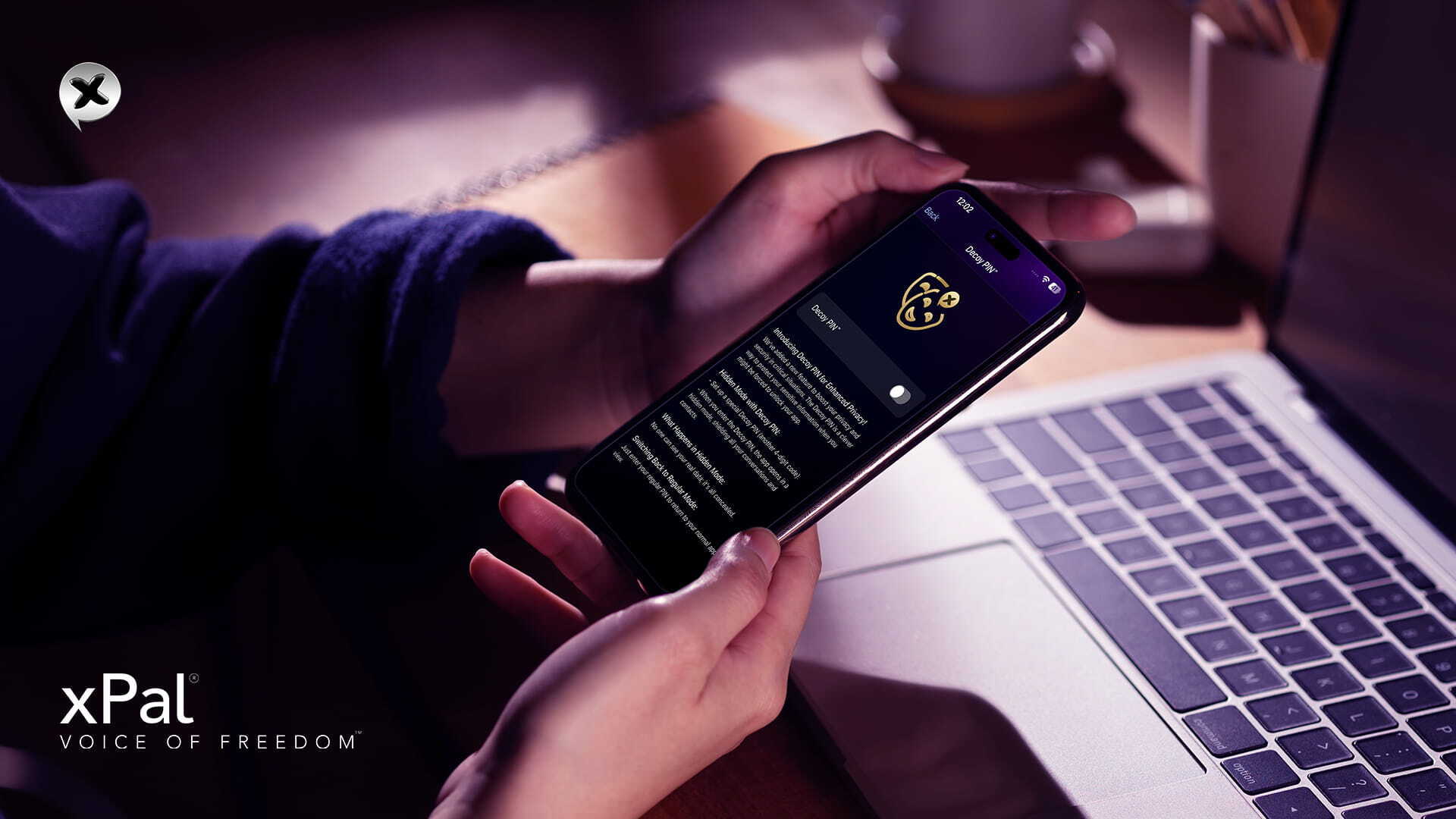
Nothing on that screen gives the game away. There is no banner, no second profile tab, and no greyed-out lock icon inactive in the corner waiting to be selected. Someone thumbing through your phone sees a secure messaging app with nothing in it and moves on.
What makes this even more significant is that, for anyone in the United States who worries about being pressured, compelled, or forced to unlock an app, the xPal Decoy PIN offers a calm, low-risk way to comply on the surface while keeping sensitive information concealed underneath.
The idea behind a Decoy PIN is not new. In cryptography, it is known as plausible deniability, a design principle that has guided privacy tools for decades. When TrueCrypt introduced hidden volumes in the early 2000s, it validated the same principle: revealing one set of data doesn’t have to confirm whether additional protected information exists.
Why Decoy PINs Exist and Where the Law Draws the Line
U.S. Customs and Border Protection searched 55,318 electronic devices in fiscal year 2025. Of those, 13,590 belonged to American citizens, up from 8,657 in 2023.
For many travelers, that creates an uncomfortable choice: either refuse a search and potentially face additional scrutiny, or unlock a device that contains years of personal conversations, financial information, family photos, business discussions, and other sensitive data. A Decoy PIN offers another option. It is a second passcode that opens your encrypted messaging app into a clean, empty workspace, while your primary encrypted conversations remain protected behind your regular PIN.
It is understandable to ask why someone would want this feature if border searches are permitted under U.S. law. Strip away the complexity, and the answer is clear. The legality of a search and the value of personal privacy are not the same thing. Many people carry confidential business communications, attorney-client discussions, health information, personal journals, or private family conversations on their devices. None of those are inherently suspicious, yet most people reasonably prefer to keep them private whenever possible.
A Decoy PIN is designed with that everyday reality in mind. It helps people separate the information they choose to reveal from the information they choose to keep private, without changing the legal authority of officials searching. Like encryption itself, its purpose is to protect legitimate personal privacy, not to alter legal obligations or interfere with lawful investigations. Anyone using privacy technology remains responsible for complying with the laws that apply in their jurisdiction.
A Decoy PIN is not intended to conceal unlawful activity or help anyone evade lawful accountability. Never and never!
It is a privacy feature for protecting legitimate personal and professional information. Users remain responsible for complying with applicable laws, and privacy tools should never be used to obstruct justice or hide evidence of wrongdoing.
When Should You Use a Decoy PIN?
A Decoy PIN is useful anytime you might be asked to unlock your app but don’t want to reveal every private conversation you have. Instead of opening your real chats, it opens a separate, empty version of your encrypted messaging app.
You possibly will find it useful if you
- Travel internationally and want to keep personal messages private.
- Carry confidential work or client conversations on your app.
- Store sensitive personal information, such as financial or health discussions.
- Live, work, or travel in places where your device could be inspected aimlessly.
- Simply believe your sensitive communications should stay private.
For most people, a Decoy PIN is about privacy and keeping personal information private. And yes, many people face such scenarios where they are asked or maybe forced to unlock their apps. Seeing the landscape, it is no longer a hypothetical scenario that many of us have extremely private and intimate things saved on devices, and strangers seeing them is a violation of privacy and damage to the sense of honor too.
And if we specifically see the threat scenario, unauthorized or forced access, unreasonable and controlling people all end the same way. Someone with the upper hand asks you to unlock the app. xPal Decoy PIN Mode answers that demand without a confrontation and without giving up your sensitive communication.
- Phone theft or robbery: If your phone is stolen or a mugger forces you to unlock it, the biggest risk is not always the banking apps. Your sensitive messages can reveal personal relationships, confidential work discussions, and sensitive information about the people you communicate with.
- Coercive or controlling relationships: For people experiencing such things, digital privacy can be a matter of personal safety. xPal Decoy PIN can open a separate, empty workspace instead of displaying real conversations, helping reduce unnecessary confrontation while keeping sensitive chats protected.
- Everyday privacy: Sometimes the concern is not a bad or forced factor. It can be a curious friend, roommate, colleague, or family member. A Decoy PIN introduces greater depth into privacy, ensuring your personal conversations stay private.
How to set up a Decoy PIN in xPal?
Setup takes under a minute. xPal includes this feature with Gold membership, alongside Total Wipeout™, Remote Wipeout™, Offline-Lock™, and Terminate™.
- Upgrade to Gold. The Decoy PIN is a premium feature and won’t appear in the free tier.
- Open settings and switch on Decoy PIN™.
- Choose a 4-digit or 6-digit code. Take the 6-digit option if you can remember it. Four digits give an attacker 10,000 combinations. Six gives a million (both are secure, though)
- Make it unique. The app rejects any code that collides with your regular PIN or its reverse. The reasoning is explained below with a table.
- Confirm and save. The feature works silently, with no confirmation banner and no visible change to the app.
Why Your Decoy PIN Can Never Match Your Reverse PIN?
This is the section worth reading twice, because getting it wrong turns a hiding tool into a deletion tool.
xPal secure messaging app runs three codes, and each one does something different:
| PIN type | How you enter it | What happens |
|---|---|---|
| Regular PIN | Your normal code | Opens real chats, contacts, and history |
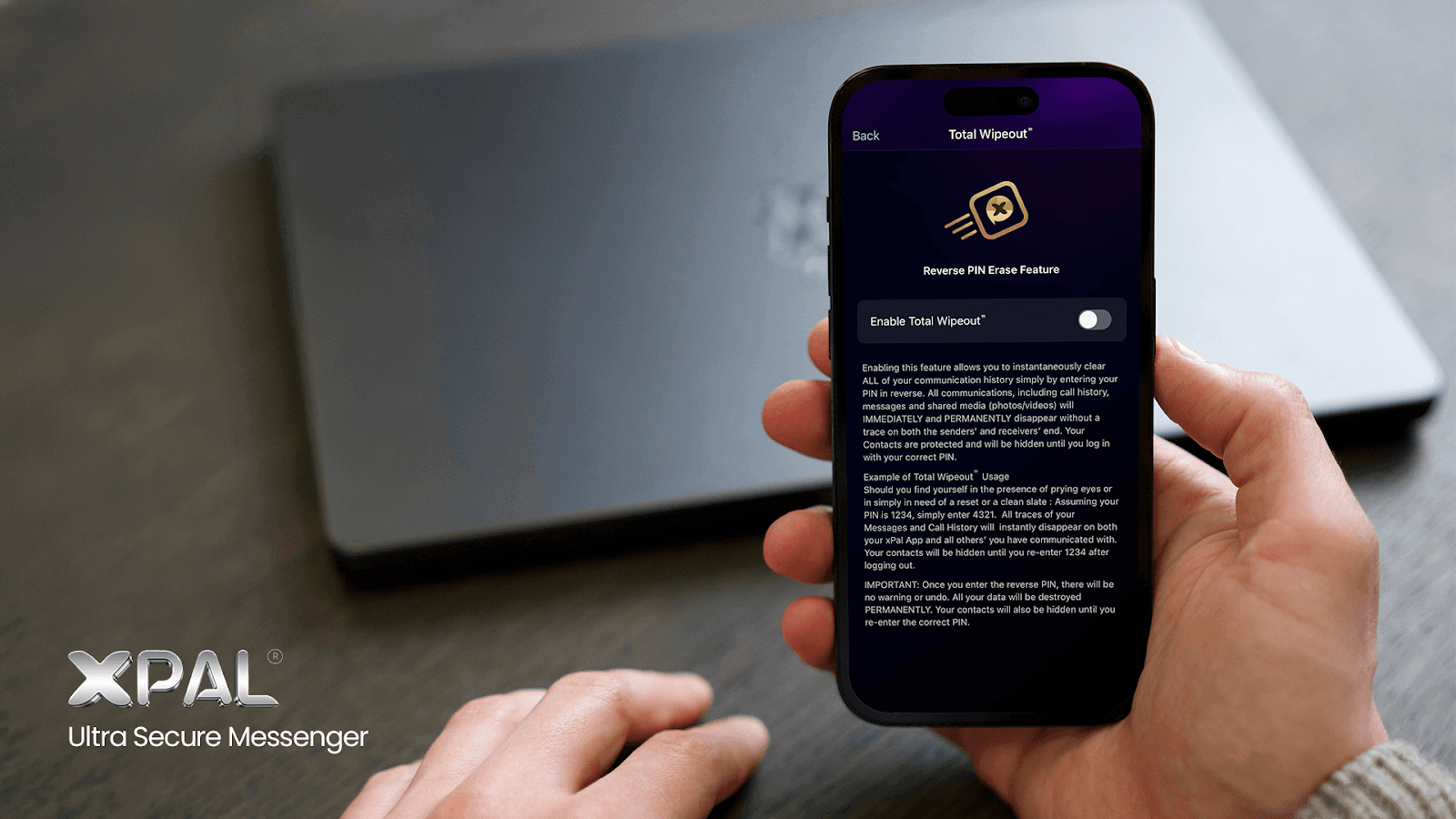
| Reverse PIN | Your regular code backwards | Total Wipeout™: permanent deletion on both devices |
| Decoy PIN | A separate unique code | Opens empty, shielded Decoy Mode™ |
Total Wipeout™ triggers when you enter your regular PIN backwards. If your PIN is 1234, then 4321 will permanently erase your messages, call history, and shared media, not just from your phone, but from the devices of everyone you have been talking to. There is no warning screen and no way to undo it.
Envision a situation where those scenarios overlap (not practically possible in xPal). You are under pressure, you reach for what you think is the safe option, and you accidentally type the one sequence that wipes every conversation on both sides. It is the worst possible outcome, driven by the best possible intention.
xPal encrypted messaging app prevents that at setup. If you choose a Decoy PIN that matches your real PIN or its reverse, the app blocks it before you can save.
What Does xPal Decoy Mode™ Block While It Is Active?
Decoy PIN is a full shielding state that doesn’t show a filtered version of your inbox. While it is active:
- Your chats and message history don’t appear
- Contacts stay hidden, and you can’t add new ones
- Incoming calls don’t come through
- The app looks like it has just been installed and never used.
Your data is not deleted. It remains encrypted and safely stored in the background. Enter your regular PIN, and all your conversations reappear exactly as you left them.
Decoy PIN vs. Total Wipeout™: Hiding and Deleting Solve Different Problems
A Decoy PIN conceals your data and keeps it. Total Wipeout™ puts an end to it. Reach for the xPal Decoy PIN when you want to look cooperative while your history survives. Total Wipeout™ is a last resort; it is irreversible.
| Feature | Decoy PIN | Total Wipeout™ |
|---|---|---|
| Primary purpose | Hide private information | Permanently destroy information |
| What happens to your data? | It remains encrypted and recoverable | It is permanently deleted |
| Best used when | You need a subtle alternative interface | You face an immediate risk of data exposure |
| Can you recover your chats? | Yes, with your regular PIN | No |
| Effect on conversations | No messages are deleted | Message history and shared media are erased from both sides |
One more difference people miss. Total Wipeout™ takes your correspondents’ copies with it. Everyone you have messaged loses that thread too, whether or not they wanted to. Decoy Mode™ touches nobody else’s device.
The simplest way to remember the difference is: a Decoy PIN protects access to your data; Total Wipeout™ removes the data entirely.
Where Does a Decoy PIN Fit Into a Layered Security Setup?
Defense in depth is the oldest rule in security, and no single control should carry your whole digital safety position. Secure messaging with a Decoy PIN works best with four things besides it.
- Verified encryption: xPal’s cryptography is validated under NIST’s Cryptographic Algorithm Validation Program and independently audited by DEKRA. Validated end-to-end encrypted chat beats mere claims.
- Metadata stripping: Photo & Video Sanitizer™ removes location and device data before media is encrypted and sent. Strong privacy architecture fails at the layers, and shared media is the most common layer.
- Disappearing messages: Flicker™ sets a message lifespan from 30 seconds to a day. Less history stored is less history to hide.
- Remote and inactivity controls: Remote Wipeout™ handles a lost device. Self-Destruct clears everything if the app sits unopened for 7, 14, or 30 days.
One practical warning before you set up Decoy Mode™: remember both your real PIN and your Decoy PIN.
xPal secure messaging app allows four incorrect PIN attempts before locking you out for 15 minutes. Another wrong entry after that triggers a 30-minute lockout, followed by a 12-hour lockout. If you enter the wrong PIN again after the 12-hour lockout, your account is permanently locked, with no way to reset or recover it.
Your regular PIN is the only way back to your real account from Decoy Mode™.
Set It Up Before You Need It
A Decoy PIN costs you sixty seconds today and saves you a conversation you don’t want to have later. Upgrade to xPal Gold, switch on Decoy Mode™ in settings, choose a code that isn’t your regular PIN or its reverse, and rehearse it twice this week. Download xPal from the App Store or Google Play and set yours up now.
FAQs
How does a Decoy PIN protect private chats?
A Decoy PIN opens your messenger into a shielded empty state, so anyone inspecting it sees a working app with no chats, contacts, or call history. Your real conversations stay encrypted behind your regular PIN. Nothing is deleted, and everything returns when you enter the correct PIN.
How do I hide private chats with a Decoy PIN in xPal?
Upgrade to Gold, open settings, switch on Decoy PIN™, then set a 4-digit or 6-digit code that differs from your regular PIN and its reverse. From then on, typing that code at the lock screen gives you hidden chats with decoy protection instead of your real account.
What is the best messaging app with a Decoy PIN?
xPal ultra secure messenger offers a dedicated Decoy PIN for Gold members, alongside Total Wipeout™, Offline-Lock™, and metadata stripping. A handful of privacy-focused messengers facilitate force or decoy access.
How do I protect my chats if someone forces me to unlock my app?
Use xPal messenger; it has a Decoy PIN that opens a harmless fake account if someone forces you to unlock the app. Enter your Decoy PIN rather than your regular one. The app opens empty, you appear cooperative, and your confidential communications stay sealed.
Can I hide private conversations without deleting them?
Yes, and that is the entire point of the xPal Decoy PIN feature, which hides your data non-destructively. You enter a Decoy PIN, and your app opens in an interface that hides real data.
How can journalists protect confidential chats?
Journalists should use an anonymous messaging app with no phone number attached (like xPal, which relies on a randomized 9-Digit xID® instead of personal credentials), keep source conversations on disappearing timers (such as xPal’s Flicker™ Mode), and arm a decoy code (like xPal’s Decoy PIN or Reverse PIN) for device seizures. Source protection fails through metadata far more often than through broken encryption; use an app that strips metadata from every photo you receive (using xPal’s Photo & Video Sanitizer™).
How do activists secure their messages?
Anonymous registration with xID™, verified encrypted communication, Flicker™ for disappearing messages, and Decoy PIN for situations where someone else has access to the app. If the device is lost or never comes back, Total Wipeout™ adds another layer of protection. No single feature covers every situation. The stronger approach is to use several layers of privacy and security so that one can help when another falls short.
Does entering the decoy code delete my messages?
No. Decoy Mode™ conceals your chats and contacts without touching the underlying data. Enter your regular PIN, and everything reappears immediately. Deletion is a separate feature, triggered by entering your regular PIN in reverse.
Can someone tell I am using a decoy code?
No. The decoy interface presents as an ordinary unused app with no visual cue that a second mode exists. There’s no hidden tab, no prompt, and no error state. That absence is what makes it a plausible deniability messaging app feature.
Can I receive calls or add contacts in Decoy Mode?
No. Decoy Mode™ is a shielding state, so incoming calls don’t come through, contacts stay hidden, and you can’t add new ones. The restriction is thoughtful, since a live call arriving mid-inspection would break the illusion instantly.
Can I change my Decoy PIN later?
Yes. Update it any time from settings, as long as the new code stays distinct from your regular PIN and your reverse PIN. Change it if you ever suspect someone watched you type it.
Is the Decoy PIN free?
No. The feature is included with xPal Gold membership.
Does a Decoy PIN replace encryption?
No. It complements it. Encryption protects messages in transit and at rest, while a Decoy PIN protects the moment someone is standing in front of you asking to unlock your app. Zero-trust privacy accepts that both problems exist.