What Happens If You Enter the Wrong PIN on xPal Too Many Times
After four incorrect PIN attempts, xPal temporarily blocks access for 15 minutes. If the xPal PIN is entered incorrectly again once the lockout ends, the waiting period increases to 30 minutes. Another incorrect attempt after that period extends the lockout to 12 hours. If the next attempt is also incorrect, the account is permanently locked.
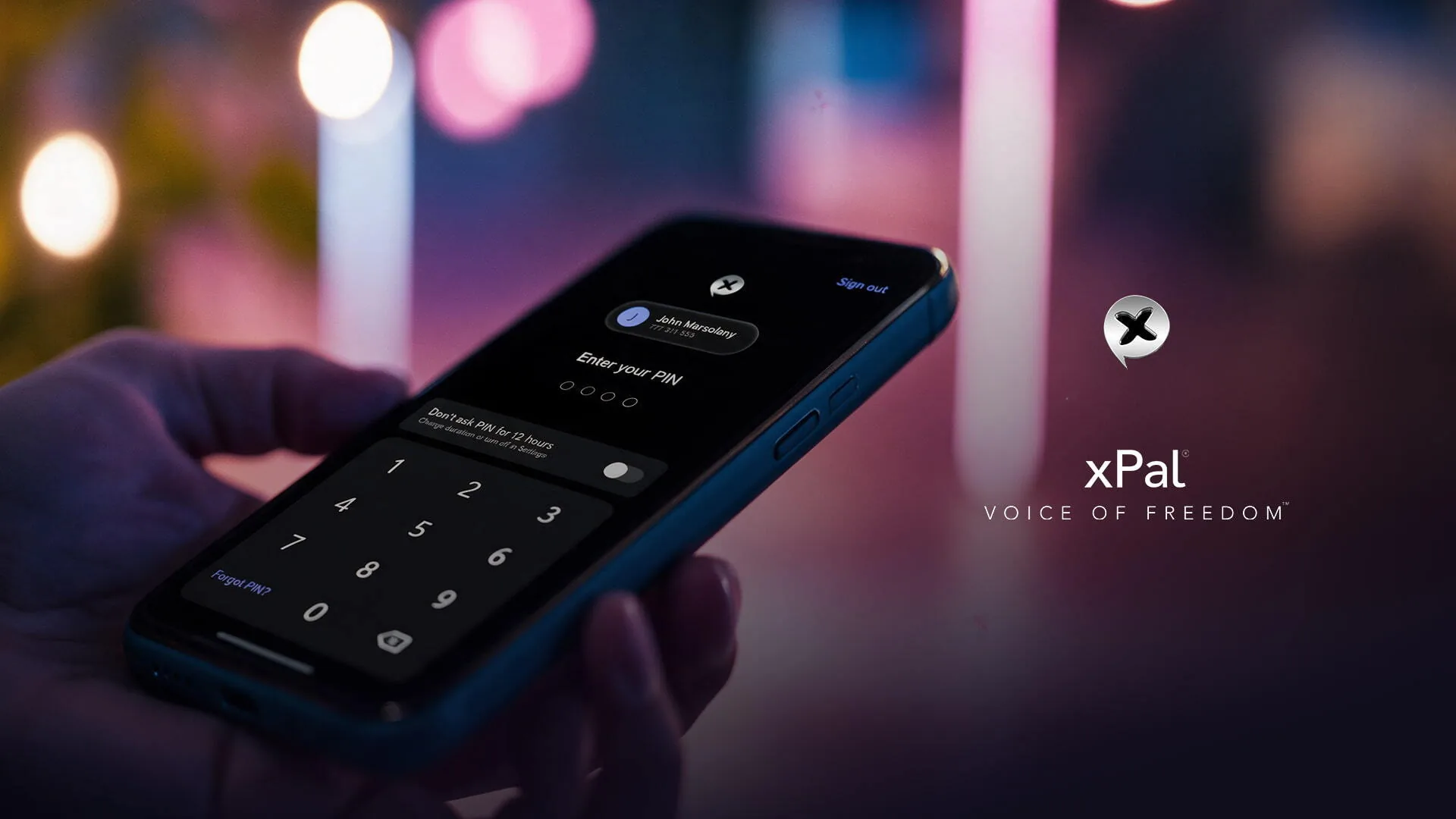
Once the account is permanently locked, there is no reset option, and not even xPal can restore access on your behalf. This is an important part of how the xPal PIN security system works for the greater privacy good, and there is no waiting longer, contacting support, or using a password reset link to unlock the account after the limit is exceeded.
What is the xPal PIN Actually Protecting?
Everything.
xPal encrypted messaging app does not operate on a username-and-password login the way most apps do by default. The 4-digit or 6-digit PIN is part of the basic sign-up process, with no phone number or email required to create the account.
So xPal PIN security holds profound significance because the PIN is what stands between anyone holding your unlocked phone and all the private conversations, contacts, documents, call history, and simply the entire app.
A separate account password is optional and only required if you choose to set one up. This puts more responsibility on the PIN to protect access to your account, which is why xPal applies stricter lockout rules after repeated incorrect attempts.
That also explains why forgetting the PIN is more consequential here than forgetting a normal app password. In a conventional account, your identity is every so often recoverable through an email address, phone number, or another account you already control. With xPal, the PIN is part of a much more deliberately self-contained authentication model because there is no data collection xPal’s private messaging app relies on.
You can’t disable the xPal PIN requirement permanently. You can only pause it for 12 hours, 24 hours, or 7 days, after which it automatically turns back on.
PIN remains a required security feature even when Face ID or Touch ID is enabled.
Temporarily disabling PIN entry is not the same thing as removing the PIN from the account. The underlying PIN remains part of the security architecture, which is why features such as Total Wipeout and Decoy Mode depend on keeping PIN authentication available.
The xPal PIN Lockout Process and Its Escalating Time Limits
As mentioned, xPal PIN lockout escalates step by step. These escalating limits are central to the xPal PIN lockout process.
Let’s see this step by step:
- Four failed attempts: access is blocked for 15 minutes.
- Another failure: access is blocked for 30 minutes.
- Another failure: access is blocked for 12 hours.
- Another incorrect attempt after that: the account is permanently locked.
Every step period has logic behind it that might seem long enough to be annoying, but from a privacy perspective it would not ruin your digital well-being.
The purpose of these escalating delays is to prevent brute-force attacks, in which someone repeatedly tries different PIN combinations to gain access. A four-digit PIN has 10,000 possible combinations, which may seem like a large number, but automated tools can test combinations rapidly when there are no restrictions. By increasing the lockout period after each failed attempt, the xPal encrypted messaging app makes repeated guessing progressively more difficult. The 12-hour delay significantly limits further attempts, while permanent account lockout prevents anyone from continuing to guess through the app. The system is designed to limit repeated attempts to access an account using an incorrect xPal PIN.
There is an important practical point hidden inside that design: the lockout does not need to make every possible PIN mathematically impossible to guess. It only needs to make repeated guessing so slow and consequential that brute force stops being a realistic route into the account.
Choosing a PIN That’s Actually Hard to Guess
The effectiveness of the lockout mechanism ultimately depends on the strength of the PIN itself. Strong choices matter just as much as the xPal PIN lockout rules. A four-attempt threshold offers limited protection if the PIN is predictable. Combinations such as 1234 or 0000, a birth year, or the last four digits of a known phone number can be guessed with relatively little effort, potentially granting access before the first lockout takes effect. A PIN should therefore be selected to resist both common guessing patterns and attempts based on personal information that an attacker may already know.
A security system can make guessing expensive, but it cannot make an obvious PIN stop being obvious. If someone knows enough about you to try your birth year, anniversary, address number, or a familiar sequence first, the lockout hierarchy may never even have a chance to do its job.
Where the application permits (xPal does), a six-digit PIN provides a substantially larger search space than a four-digit PIN, increasing the number of possible combinations from 10,000 to 1,000,000. This offers greater resistance to systematic guessing, although it does not alter the lockout policy: both PIN lengths trigger the same restrictions after four consecutive incorrect attempts. xPal PIN selection should also account for predictability. Sequential combinations, repeated digits, and numbers associated with birthdays, residential addresses, or anniversaries are poor choices when such information could be obtained or inferred by someone familiar with the user.
A PIN should be difficult for someone else to predict without becoming difficult for its owner to remember.
xPal PIN Security Compared with Conventional Account Recovery
| Security aspect | xPal’s approach | Conventional account recovery |
|---|---|---|
| Forgotten PIN | Requires a built-in recovery method configured in advance. | May allow a reset through email, SMS, or support. |
| Identity verification | Relies on previously configured recovery options. | May rely on access to a registered email or phone number, or identity checks. |
| Risk of account takeover | Removes conventional reset ways that an attacker might exploit. | Recovery channels can become targets for attackers. |
| Risk of permanent account loss | Higher if the PIN is forgotten and no recovery method was configured. | Often lower when a working recovery channel remains available. |
| User responsibility | Users must prepare recovery options before losing access. | Users must keep recovery details secure and up to date. |
| Main security concern | Losing access because recovery was not configured. | Unauthorized recovery through a compromised or misused recovery channel. |
The Optional Password Adds a Second Layer
An account password can also be configured in Settings, independently of the PIN. Although optional, it serves a separate security function.
It is recommended, however, to add the password because it provides an additional level of protection.
This makes the PIN and password serve different jobs instead of simply being two versions of the same credential. The xPal PIN is central to accessing the app you are already using; the optional password becomes especially relevant when your xID is being used on another device.
What If You Actually Forget the xPal PIN?
So when the scenario involves you, and you forget the PIN, what’s then?
xPal is a consumer app, and along with privacy, user experience is kept as a priority too.
Before the system has a real cost for you, prepare Account Recovery in the xPal private messaging app.
But again, recovery only works if the user sets it up in advance, through one of two options: a security question or a security phrase. Either one gives you a legitimate way back into your account if your memory fails you later.
Account Recovery must be activated through one of these two options, and if neither has been configured, the access cannot be recovered.
That means the most important moment to think about PIN recovery is not when you have already forgotten the PIN. It is while you can still open Settings and prepare the recovery mechanism.
So if you are reading this while you still have access to your account, there is a very simple way:
Go into Settings and make sure Account Recovery is configured. It would be easier for you in case of any emergency.
A separate protection is the Access ID, a nine-digit code that can be configured in advance to help restore access when the xID itself has been forgotten. This addresses a different problem from losing access because of a forgotten PIN. The recovery mechanisms serve distinct purposes: the Access ID helps with a forgotten xID, while Security Questions and the Security Phrase are intended to support recovery of a forgotten PIN. Each must be configured beforehand; the availability of one does not imply that it can resolve every type of account-access problem.
xPal, while keeping privacy rooted at every layer of its messaging ecosystem, also makes sure users do not feel burdened in very normal situations they might feel at any moment.
Is this much privacy even worth it?
Yes, but with understanding the purpose.
It is worth asking why a company would deliberately build a system this unforgiving instead of offering the familiar “forgot password” option.
An email inbox, a support agent, an identity verification process, or third-party involvement brings different risks of either data access or storage in a million places.
Someone could try to exploit that route by impersonating the account holder.
xPal is providing ways to recover accounts. The problem was that the focus was nowhere near such situations, but it is in xPal. Just in a privacy-focused way.
The xPal PIN Is Also Connected to Other Privacy Features
There is one more reason the PIN matters beyond simply opening the app: xPal builds additional privacy controls around it. xPal PIN must remain available because features such as Total Wipeout and Decoy Mode depend on PIN-based authentication.
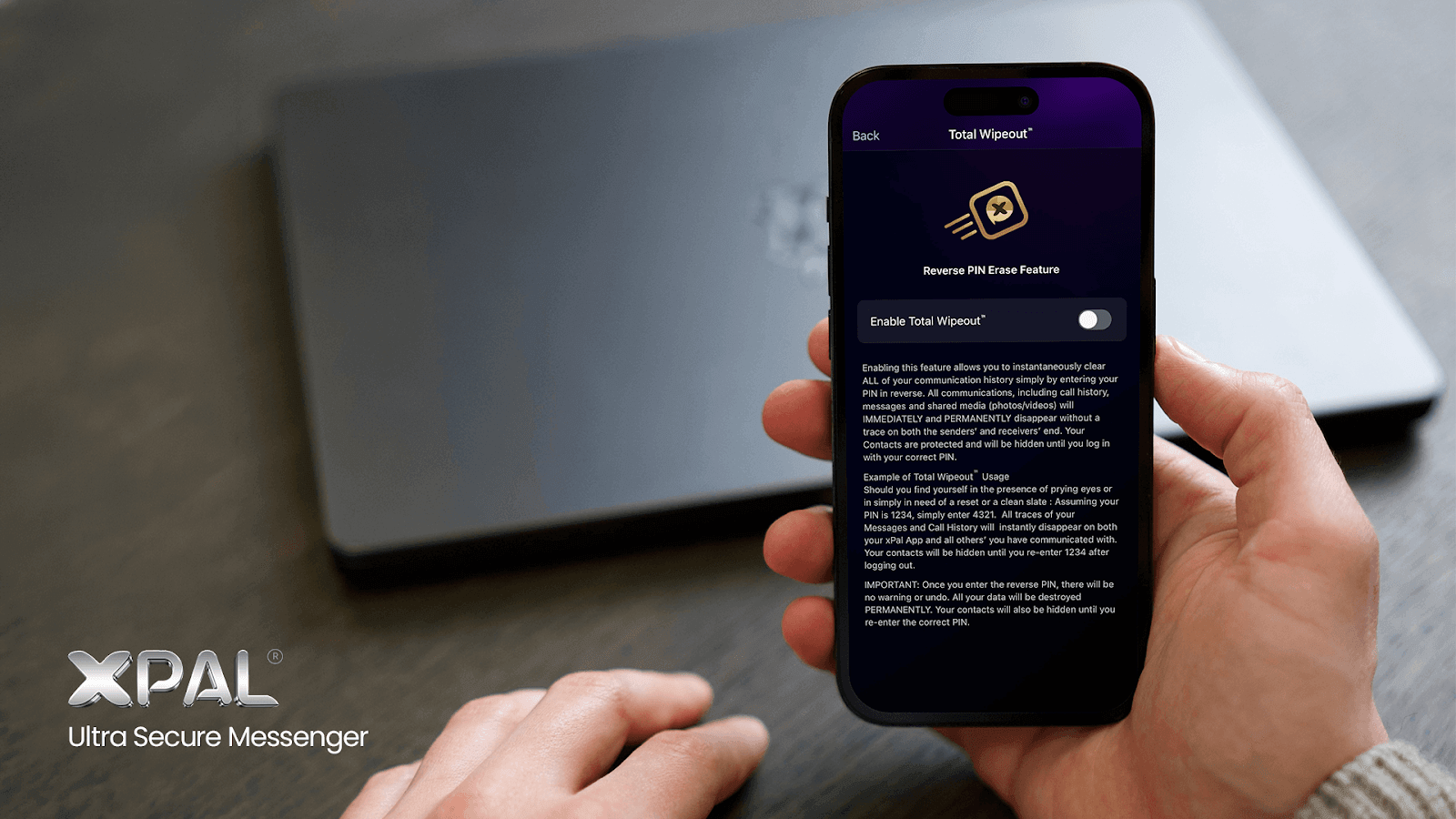
Total Wipeout uses the PIN in reverse as an emergency action when the feature is enabled. This can permanently erase communication history, including messages, call history, and shared media, while also hiding contacts until the correct PIN is entered again.
In xPal, knowing the PIN is also connected to what actions you can take with the data. Forgetting it can therefore mean more than losing access to the app; it can mean losing access to the security controls built around that authentication system as well.
What You Should Do Before You Ever Forget Your PIN
The safest time to solve an xPal PIN recovery problem is while there is no problem. Open Settings while you are still logged in and make sure your Security Question or Security Phrase is configured. If you use an optional password, make sure that recovery is covered too. If you rely on Face ID or Touch ID every day, make sure you still know the underlying PIN rather than assuming the biometric shortcut means you will never need it.
Then choose the PIN as if someone who knows you might be the one trying to guess it. Again, avoid birthdays, obvious sequences, repeated numbers, and information that can be found from your social profiles. A memorable PIN does not have to be an obvious PIN.
Finally, do not test the lockout ladder just to see what happens. The progression is designed to protect the account; it is not a demonstration feature. And the same goes for other xPal privacy controls.
You can read about them and understand them well.
Or maybe you can try those when nothing much is to lose. But never do when the risk would be unrecoverable.
FAQs
What happens if I delete a conversation on my phone but the other person still
has it?
Ordinary deletion removes the conversation from your device; it does not necessarily
remove the recipient’s copy. xPal’s Terminate feature is designed to remove a
conversation from both devices after the deletion command is received and processed.
The result depends on which feature you use and whether the relevant command reaches
the other person.
I have forgotten my xPal PIN. What options do I have before creating a new
account?
First, stop making guesses if you are unsure of the PIN, because repeated incorrect
attempts trigger progressively longer lockouts. Check whether you configured a Security
Question or Security Phrase for account recovery. If no recovery method was configured
and the PIN cannot be recalled, the account cannot be recovered, and a new xID is
required.
What is the difference between an xPal Access ID, PIN, and account
password?
These credentials serve different purposes. The xID identifies your account to other
xPal users; the Access ID helps if you forget the xID itself; the PIN unlocks the
application; and the optional account password adds a valuable authentication strength.
The Access ID is not a substitute for recovering a forgotten PIN.
What is the difference between protecting messages with encryption and protecting
access to an app?
Encryption protects message content by making it unreadable to parties who do not have
the necessary cryptographic keys. In an encrypted messaging app, that protection works
alongside PIN-based access controls rather than replacing them. App-access controls
determine who can open the application and view information available on the device.
Encryption does not automatically prevent someone with authorized or unlocked device
access from viewing messages inside the app, so both layers matter.
Can I remove messaging-app data from a phone remotely after losing
it?
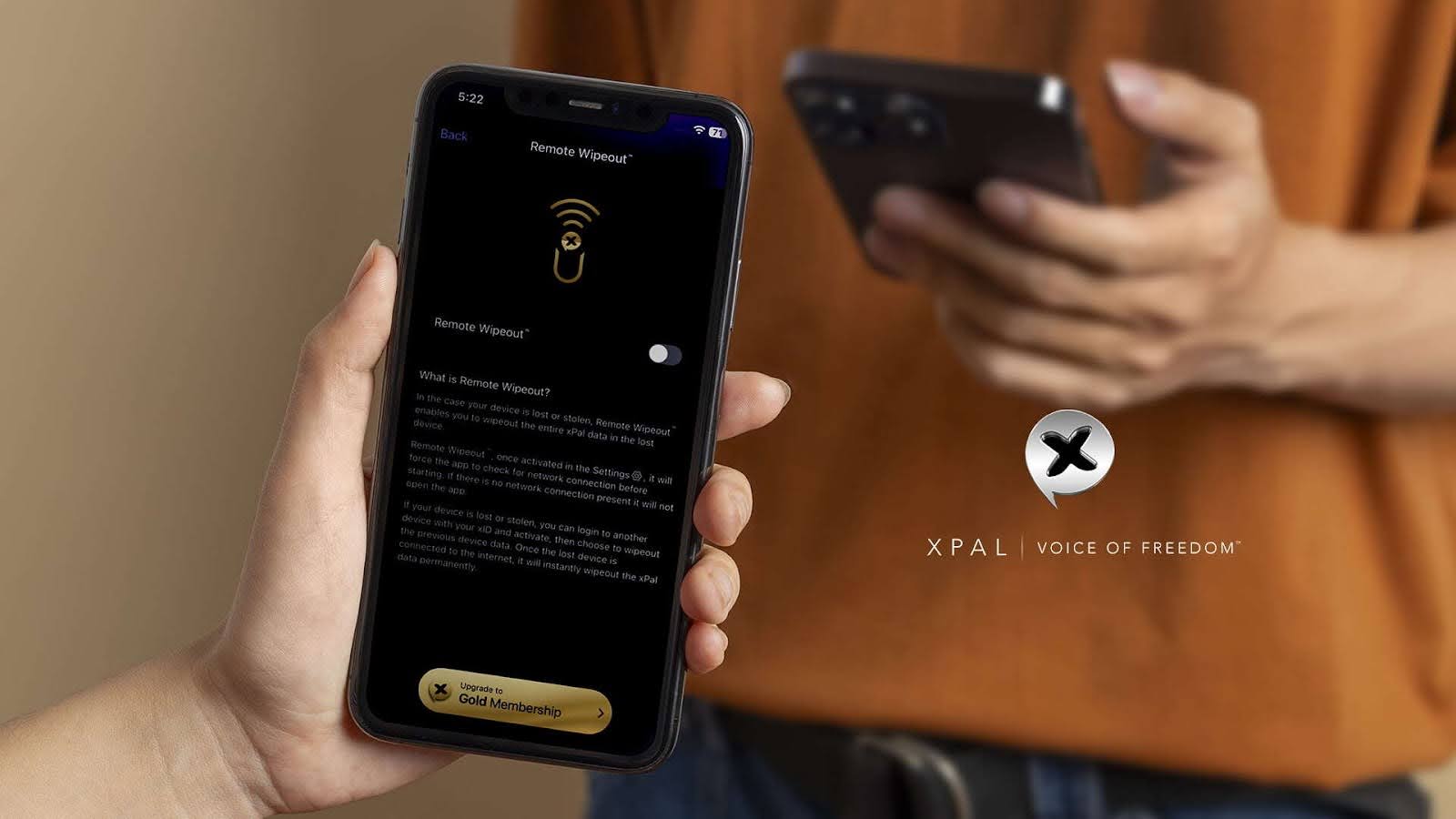
Yes, with the xPal Remote Wipeout feature, which is designed to
remove xPal data from a lost device. It can be activated from another device using the
account, and the command executes when the lost phone reconnects to the internet. It
removes xPal-related data rather than erasing the phone’s other applications and
personal files.
What is the difference between hiding messages, deleting them, and making them
disappear automatically?
Hiding messages conceals them from view without necessarily removing the underlying
data. Deletion removes specified content, with the scope depending on the feature used.
Disappearing messages automatically remove content after a chosen lifespan. In xPal,
Decoy PIN is intended for concealment, Terminate and Total Wipeout for deletion, and
Flicker for time-limited messages. Normally, you can also delete messages in xPal.
Can a recipient keep a copy of a disappearing message?
A recipient may be able to preserve information outside the app before the message
disappears, for example, by photographing the screen with another device. xPal’s
Flicker feature removes messages from the
participating devices after the configured lifespan, but that does not guarantee that
no external copy exists. Sensitive information should be shared with an understanding
of this limitation.
What happens to my messages if I sign in to the same account on another
device?
Your account identity and your locally stored conversation history are separate.
Messages are stored on the device and are not automatically restored from a cloud
archive. Signing in on another device therefore does not guarantee that the previous
device’s conversations will be available there.
Can I set up xPal Account Recovery after creating my account?
Yes. You can configure or change your Security Questions and Security Phrase through
Settings while you are still able to access your account. You do not have to complete
this step only during registration. It is best to configure recovery before you need
it.
Do I need to set up both Security Questions and a Security Phrase?
xPal provides both as account-recovery methods but as separate options, so users can
select the method that suits them and configure the available recovery options in
advance. Do not assume that one method will automatically be available if you have not
set it up.
Are Security Questions and the Security Phrase used every time I open
xPal?
No. These options are intended just for account recovery. Routine access to the app is
through PIN. Your PIN remains the normal credential for unlocking the application, while
recovery information is used when you need to regain access to a forgotten credential.
How should I choose answers to xPal’s Security Questions?
Choose answers that other people cannot easily discover or infer from your public
profiles, personal history, or conversations, especially those who know you very well.
The security of this method depends partly on how unpredictable your answers are.
Is an account recovery method the same as keeping a backup of my
conversations?
No. Account recovery helps you regain access to your account credentials. It does not
mean that your conversation history is backed up and can be restored on another device.
In xPal, message data is stored locally, rather than
maintained as a cloud backup that follows your account to a new phone.